
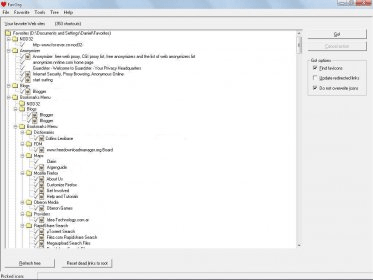
FavOrg scans for custom icons provided by the websites in your favorite list. These icons identify visually the sites in your Favorites bar, Favorites menu, and the Address bar. Usually, when you delete your temporary Internet files, those favicons are lost. FavOrg preserves them. You can even assign an icon, with an image of your choice, to a shortcut. To do so, you need to right-click on the desired link, and choose the "Pick Icon" option, and then choose your preferred image tor that link.
This program also checks the accuracy of every link in your favorite´s list, before downloading the favicon. If FavOrg finds dead links, it flags them. You will be able to update the redirected links or reset them to the site´s root. The program will indicate the status for every link in the list (not checked, valid, moved, updated, etc.). This program will work with Internet Explorer version 4.0 or newer, but it won´t work with Firefox. Double-clicking on any link will open it in your default browser, even if your default browser is Firefox.





Comments